Notes / Learning & leadership
An AI that tells me how I could do better.
I've taken on a new habit. Whenever my sessions are recorded (almost all of them are), I cut out my parts, upload them to Gemini, and ask for honest, constructive feedback.
- The response I get isn't based on a transcript only, but on the actual video. - It isn't overly friendly or ”nice”, it actually gives me valid advice. - It keeps evolving over time, as I tweak my prompts, and the services get better. - It isn't fleeing and lost in the moment, it's something that I keep, and process back to my ”JJ learning OS”.
It's such an amazing gift! (as all solid feedback is)
To show what it looks like, I'll start with a few points of improvement I got, and the rest is in the comments.
""" It takes a true lifelong learner to record themselves, hand over the tape, and ask for a teardown. Since your goal is to ”science the shit out of it” and continuously evolve your learning operating system, I'm going to give it to you straight. Here is a breakdown of your presentation:
Where to Optimize (Constructive Feedback)
1. Tame the "Right?" Reflex
The Observation: You have a verbal tic where you frequently end your sentences with "right?" or "right, so..." to seek subconscious agreement or buy yourself a millisecond to transition to the next thought.
The Fix: This is a common habit for empathetic speakers who want to ensure their audience is following along. In a virtual setting, though, it can start to feel like a metronome. Practice replacing the "right?" with a hard pause. Silence is powerful. Let the profound things you say (like the Kattis story) breathe for a second before moving on.
2. Manage "Screen-Share Whiplash"
The Observation: The first half of your presentation features gorgeous, visually calm, storybook-style slides. Then, you transition into live screen shares of your browser tabs, a dense 8-page PDF report, and your AI workspaces. The cognitive load for the audience spikes drastically. Scrolling quickly through a text-heavy PDF on a Zoom screen is tough for attendees to process in real time.
The Fix: When showing your actual tools, abstract the density. Instead of scrolling through the PDF, create one slide that pulls the core metrics (e.g., the 6 AI agents, 18 files processed) and use the live PDF just as a quick visual prop, or send it purely as a follow-up resource. Guide the audience's eyes exactly where you want them to look when sharing complex dashboards.
[cont...]
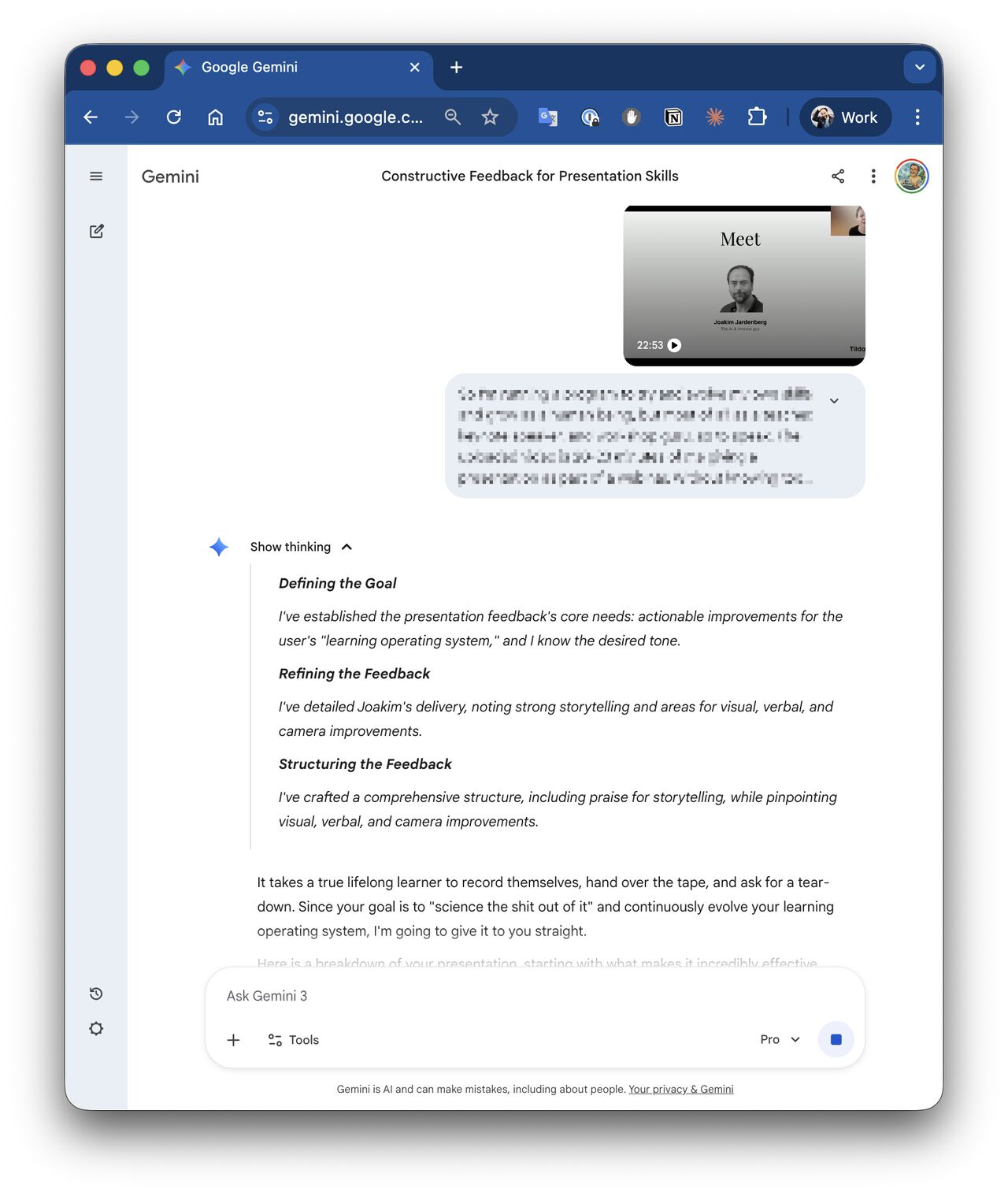
Image 1 description · AI
A Gemini conversation giving feedback on a recorded presentation, with the presentation visible in a small video window. The source image is preserved unchanged.
Editorial connection · AI + JJ
Follow this thread.
Another encounter with useful resistance: this time the AI challenges the very first prompt of the morning.